Takeout Box | Cherylann McCool | Silhouette UK Blog
Takeout Box | Cherylann McCool | Silhouette UK BlogTakeout Box | Silhouette Corrugated Card Hi Cheryl here again. Wow, what a long old month January was! There are a lot…
PLEASE NOTE THAT THE OFFICE WILL BE CLOSED FROM 12PM FRIDAY 20TH DECEMBER 2024 AND WILL RE-OPEN ON THURSDAY 2ND JANUARY 2025
ORDERS FOR DELIVERY PRIOR TO CHRISTMAS WILL NEED TO BE SUBMITTED BY 2.30PM ON THURSDAY 19THDECEMBER 2024.
ORDERS RECEIVED AFTER THIS TIME AND DATE WILL BE DESPATCHED ON THURSDAY 2ND JANUARY 2025.
Merry Christmas & A Happy New Year to all our customers. Thank you for your continued support.

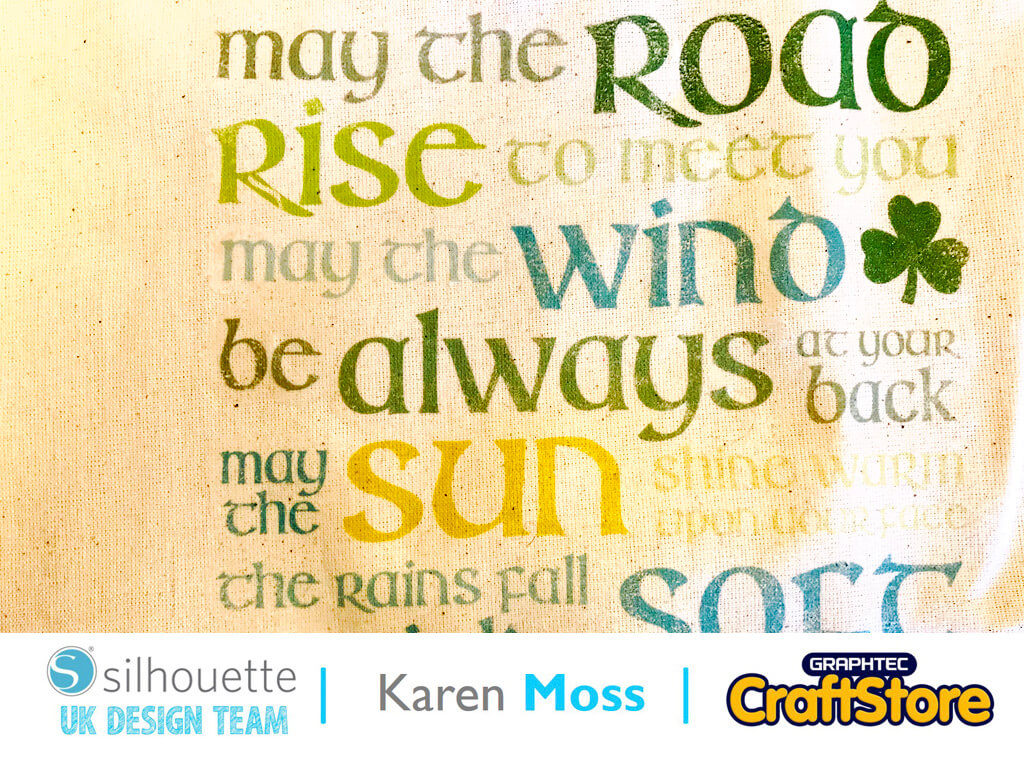
Well, this week we are focusing on St Patrick’s day and are using printable HTV.
I had a cotton bag, that I bought ages ago to do something with, and decided to add an Irish Blessing to the front.
Open a letter sized design space and add registration marks, I like to turn on the print border and cut border as then I can see exactly the area I have to work with.
I resized the design to 7in wide and 9 in tall, which is the largest I could get on the design area, keeping it within the parameters of the cut area.
To change the cut design into a print and cut design, first go the ‘Send’ menu and set the cut lines to ‘No Cut’.
I made a screenshot of the coloured design, from my library and added to the side of my design.
After ungrouping the design I was able to use the color picker to get the exact colours to fill my design – don’t forget to change the line colour also.
The final stage was to add an offset around the blessing, print and cut my design and iron it onto my hag.
I shall be taking my lovely bag out next time I go shopping!
I am sure I will get lots of compliments as it is so striking.
– Karen Moss –
• Design Used: Irish Blessing Subway Art
Design Store Artist: Jennifer Wambach
Design Store ID: 75035 > Download